TL;DR -> Jekyll builds can have page collisions in different places if the pages happen to have the same title. Skip ahead to fix!.
WOW, it has been a while since I last posted, which is genuinely very bad for me, not to say I have been lazy or up to no good, quite the opposite, I have a myriad of things on my mind:
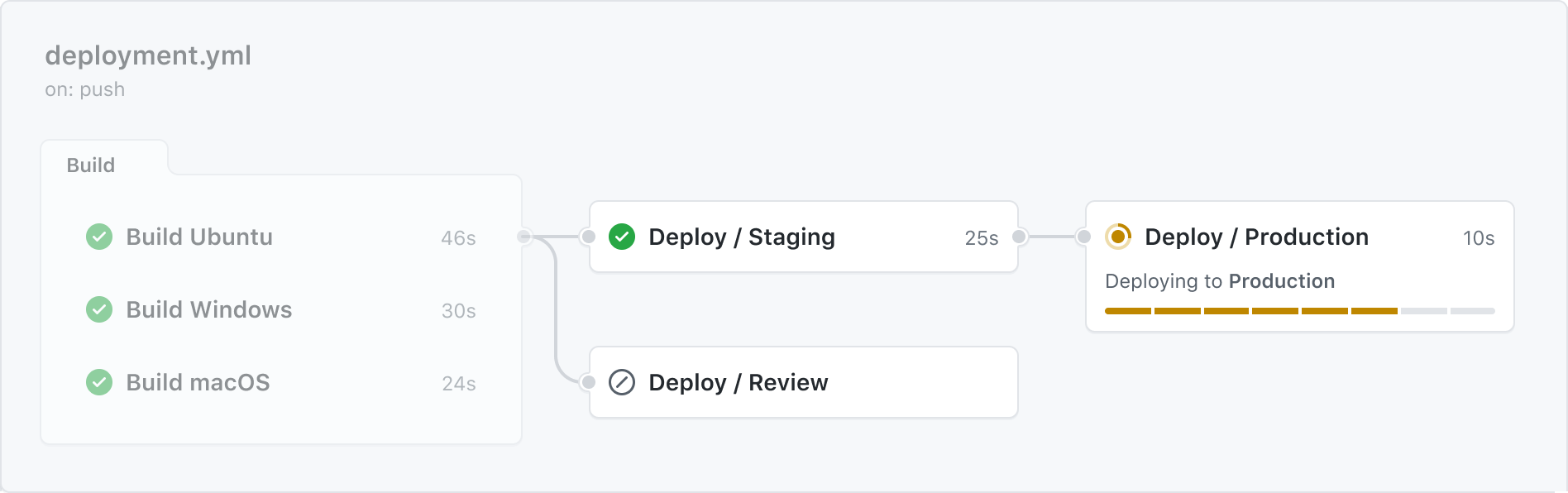
Managing automation is hard enough without having to pollute your git history with changes to your actual workflows, in reality, the workflow itself is unlikely to change but there can be subtle updates in what each workflow action needs to do.
With Azure Devops and GitHub Actions you have the option to either use their hosted agents using the Azure backend, which is fine as you do get a decent amount of time of free resource but eventually you are going to end up paying for the service. Or, you can host your own agents on your own PC or even a dedicated box just for building.
Similar to GitHub Actions, Azure can automate the building / testing and deploying of your Unity solution. It is true, that Microsoft is on a journey to migrate all build automation to GitHub to offer a more accessible way for developers to automate their project, however,there are a few notable exceptions and capabilities that are still far superior in Azure Devops currently that are worth exploring, namely:
GitHub actions offers the power of Azure automation but in a far simpler and easy-to-use package, reducing the requirements and setup needed to get your automation off the ground. There are some things Azure still does better but for the most part, GitHub provides a wealthy estate of information and "out of the box" solutions for automating almost any workflow.
A walk-though guide to automating your Unity builds for Free (or paid) to help you get working smarter and not harder when building for Windows, iOS, Android or whichever platform you are building for.Everyone's first reaction to the mention of Automation
Automation it would seem, is one of those big unsurmountable goals for small projects, considered to be something only the big software houses do and seen as the holy grail (see what I did there) of software maintenance. However, is very accessible to projects large and small, providing untold riches for those brave enough to stick their toe in to.
In this series of articles I will go through several of the quick-fire options for getting your Unity project automated for builds, tests and all manner of helpful tricks.
Have you ever been sat at your machine waiting for your Unity build to finish, unable to even start tinker with the next big thing to add to your project because Unity is locked up and working, or wondering if the next change you make will brake your fantastic hoop throwing technique and crash your game? Well, you are not alone.
The short answer, Automation provides a way to offload your builds to someone else to handle while you get back to coding. You get your project to the point where you need to test it, preferably on a device and then pass it on to someone else to do the donkey work of building it. (Even building MULTIPLE platforms at once)Taking your project through source control and having a cloud build process turn it in to packages
The slightly longer answer is that automation provides several mission critical operations that are "Automated" on a server, such as:
A way to add reliability to your project, to add as many checks and measures as you need to ensure your build it fit for purpose.
Gives you the ability to build / test and deploy many platforms from a single process.
If you wish, you can even automate publishing of your project to test platforms (e.g. Testflight or Appcenter) or even direct to stores.
Add reporting, monitoring and logs, as well as operational dashboards as to the health of your project.
While all of these things are possible, you only need implement as much as you need and then just keep adding to it over time.
In short, for even the smallest projects, Automation can be a life-saver, but you do need to invest a little time (and sweat) in to getting it set up.
How do you go about setting up automation? Is it expensive?
The answer, as usual in these cases is "It depends". If you want speed and lots of features, then you could end up with a budget for maintaining your Automation services. HOWEVER!, there are also many FREE services available and it is up to you whether you ramp up over time.
Here are some of the providers of backend services to support your Automation:
GitHub Tasks Built directly in to GitHub and offers a free tier of automation with many different options. Offers paid tiers for intensive or long running operations.
Azure DevOps Cloud hosted automation with the ability to "plug-into" most source control systems and offers extensive options for integration. Includes a Free tier with many scale out/up options.
Jenkins Opensource automation software for hosting on your own hardware with a vast community of supporting developers.
Bitbucket Pipelines Similar to GitHub tasks and focused on Atlassian services.
What about Unity Cloud Build? At the time of writing, Unity cloud build, while useful is still very limited on platforms and the amount of testing, integrations available. But I will update as it matures.
The deployment of each of the offerings can be on your (or another) PC, Cloud hosted or anywhere in-between, depending on how much you want to get out of the automation. About the only cost which is absolute, is how much time you want to invest in setting everything up and maintaining your automation services.
Setting up automation can take anywhere from a few hours to a couple of days, depending on how far you want to take it.
Setting up a build for a single platform - about an hour
Setting up builds for multiple platforms on the same box (e.g. Windows Or Mac) - A couple of hours
Setting up builds for multiple platforms on several boxes - about a day
Creating automated tests and including them in your pipeline - a day to learn, minutes to implement
Integrating with Build/Testing deployment systems (Testflight/AppCenter) - about a week, give or take.
Time saved from not having to wait for builds or figuring out "what wen't wrong" - Between 5 to 20 cups of coffee a day.
It is completely up to you how much you invest, but for each investment the return (on average) is more than 10 times what you put in, in some cases MORE, as you can continue to work while the automation/builds are running.
For a long time MonoGame had only spurious updates and not a lot of outward activity (as opposed to the frantic and sometimes chaotic internal goings on in the mass of community contributions), this garnered such comments as “Is MonoGame dead?”.