An AI training solution that sees what the trainee sees, with remote-assistance available on demand. Demonstrated on a workshop floor, built for any industry.
Tailored training in a mixed reality headset: step-by-step guidance through a procedure, with each target anchored to the real component by an intelligent vision system. Offered jointly by Ethar, Inc. and ZenithMoon Studios.
What it is and how it was delivered.
An XR first headworn training platform that frees up the trainee’s hands for procedures, ranging from manufacturing changeovers to clinical protocols. An AI vision system recognises the environment meticulously and identifies critical objects in real time. A remote expert can join from an ordinary browser seeing exactly what the trainee sees, offering guidance through voice and annotations in the trainee’s view.
Delivered in 2026 as a working product in partnership with Ethar, Inc. Ethar owns the product and leads customer engagements. ZenithMoon Studios designed and built the platform end to end: the headset client, the on-site vision host, the assist console, the authoring tool and the operations tooling.
- Lightweight client for head-worn devicesA thin client that adapts to most head-worn devices, headsets and glasses alike. The heavy work stays on the site host, not on the wearer’s head.
- Sustainable architecture, scalable deliveryDetection stays on site, sessions relay only while somebody is training, and an idle platform costs nothing. Add cells and sites without re-architecting.
- One training model, any industryProcedures, recognised objects and reference material are authored content. A new vertical is a new training set, not a new product.
- Remote assistance as a first-class citizenAn expert joins from a browser in seconds and engages the trainee through their own view: live video, voice and annotations anchored to real objects.
- Dashboards for performance, cost and global operationsCustomisable dashboards show session health, itemised runtime cost and the state of every site and cell, wherever they are in the world.
The recorded demonstration.
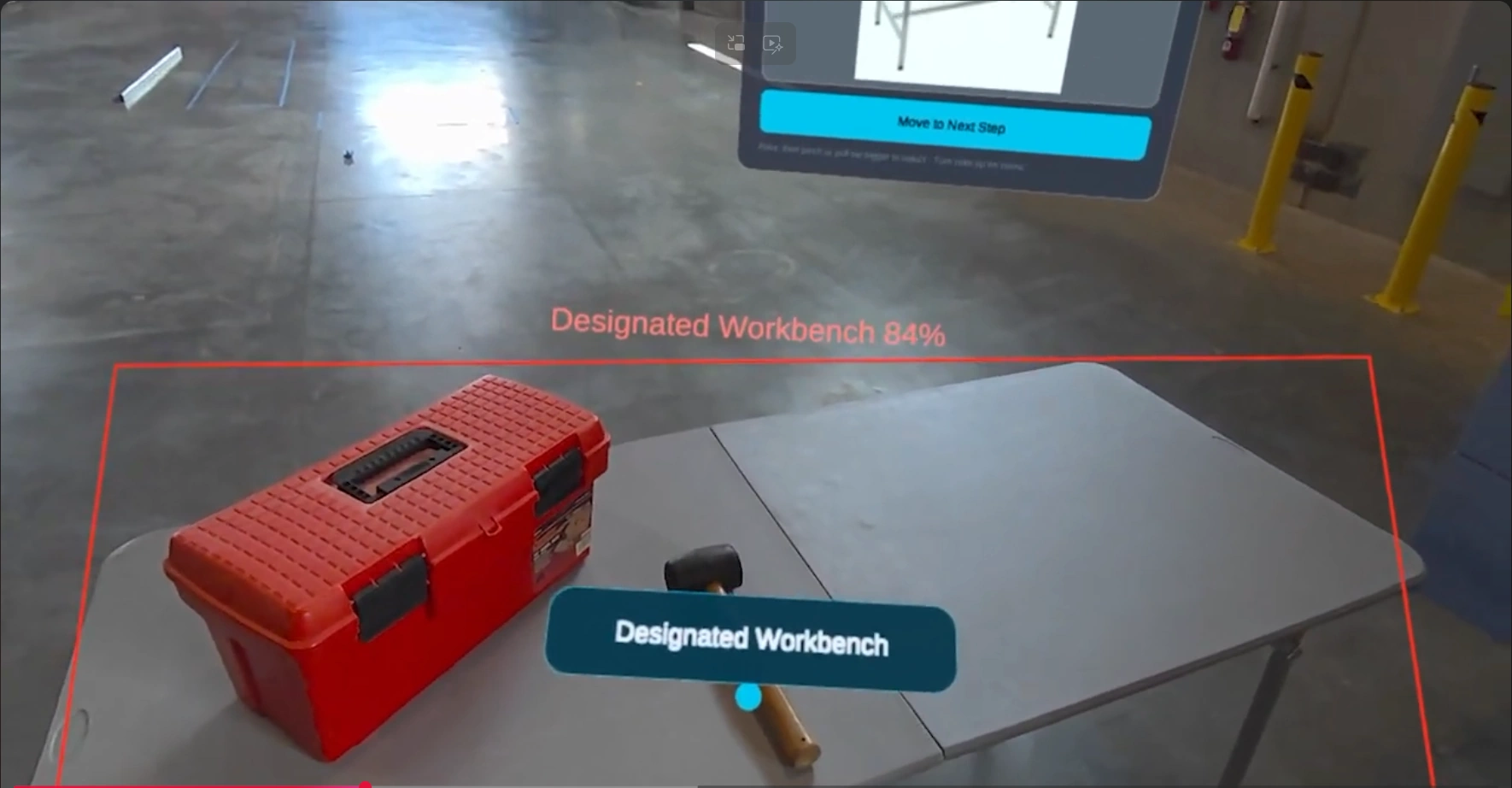
The trainee’s view, the assist console and the training authoring tool, recorded during a live session. Open on YouTube →
As it looks.
Captured from the running system.
What it set out to do.
- 01Keep the trainee’s hands on the work. Every instruction, target and control lives in their own view or on a hand menu.
- 02Be a platform, not a one-off. A new industry is a replacement training set rather than a new product.
- 03Bring the expert to the floor without a site visit, an install or a VPN.
- 04Let trainers author and change procedures in a browser, validated before anything reaches a headset.
- 05Keep camera frames on the customer’s premises. Detection runs on site and the on-site host accepts no inbound connection.
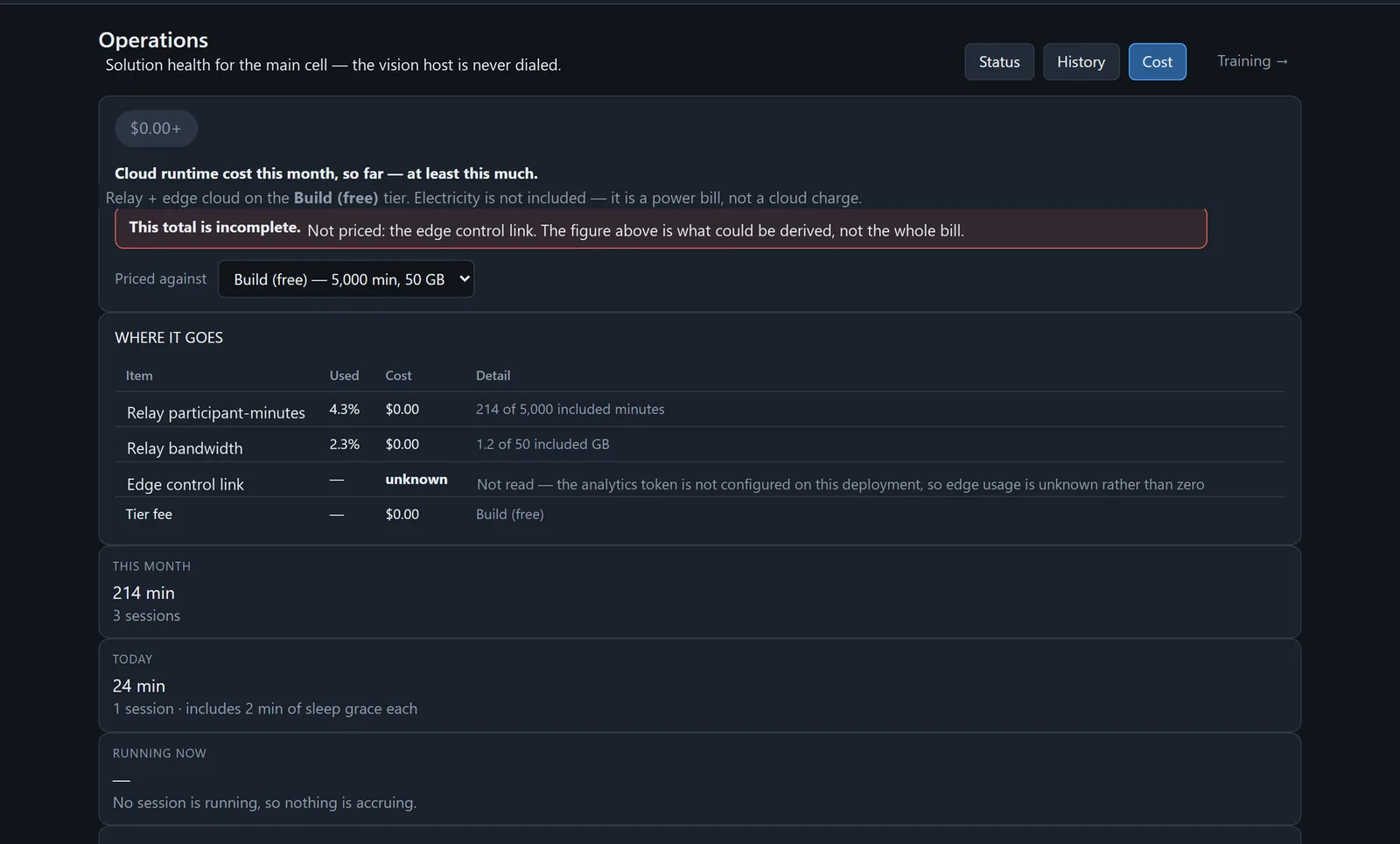
- 06Make runtime cost visible while a session runs, not at the end of the month.
What it does.
Step-by-step guidance in the headset
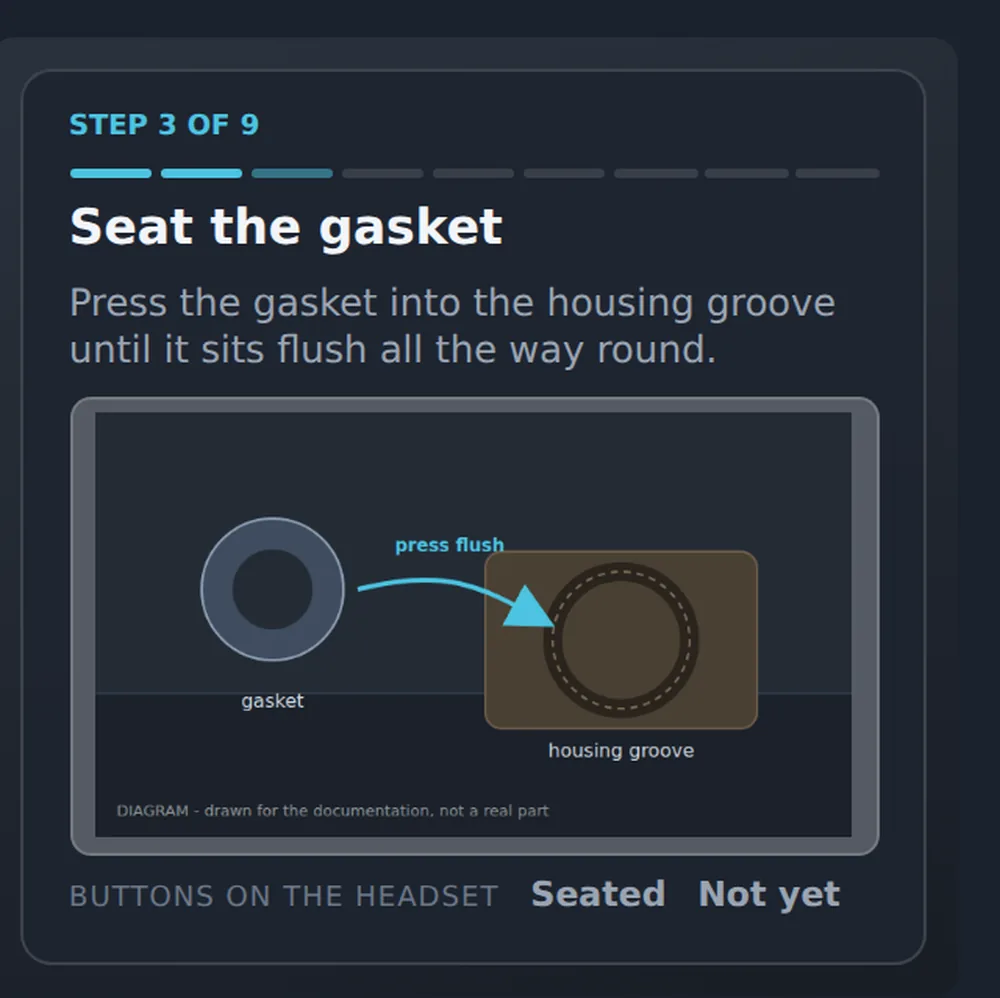
Progress, instruction and a reference image on a panel that follows the wearer without chasing them. Advance, repeat, recentre, microphone and the help code sit on a hand menu, usable with controllers or bare hands.
Targets anchored to real parts
The vision system recognises the parts in the wearer’s view and places the current target on the part rather than near it. Poor light pauses the feed, says so on the panel, and resumes by itself when the light returns.
Remote assistance from a browser
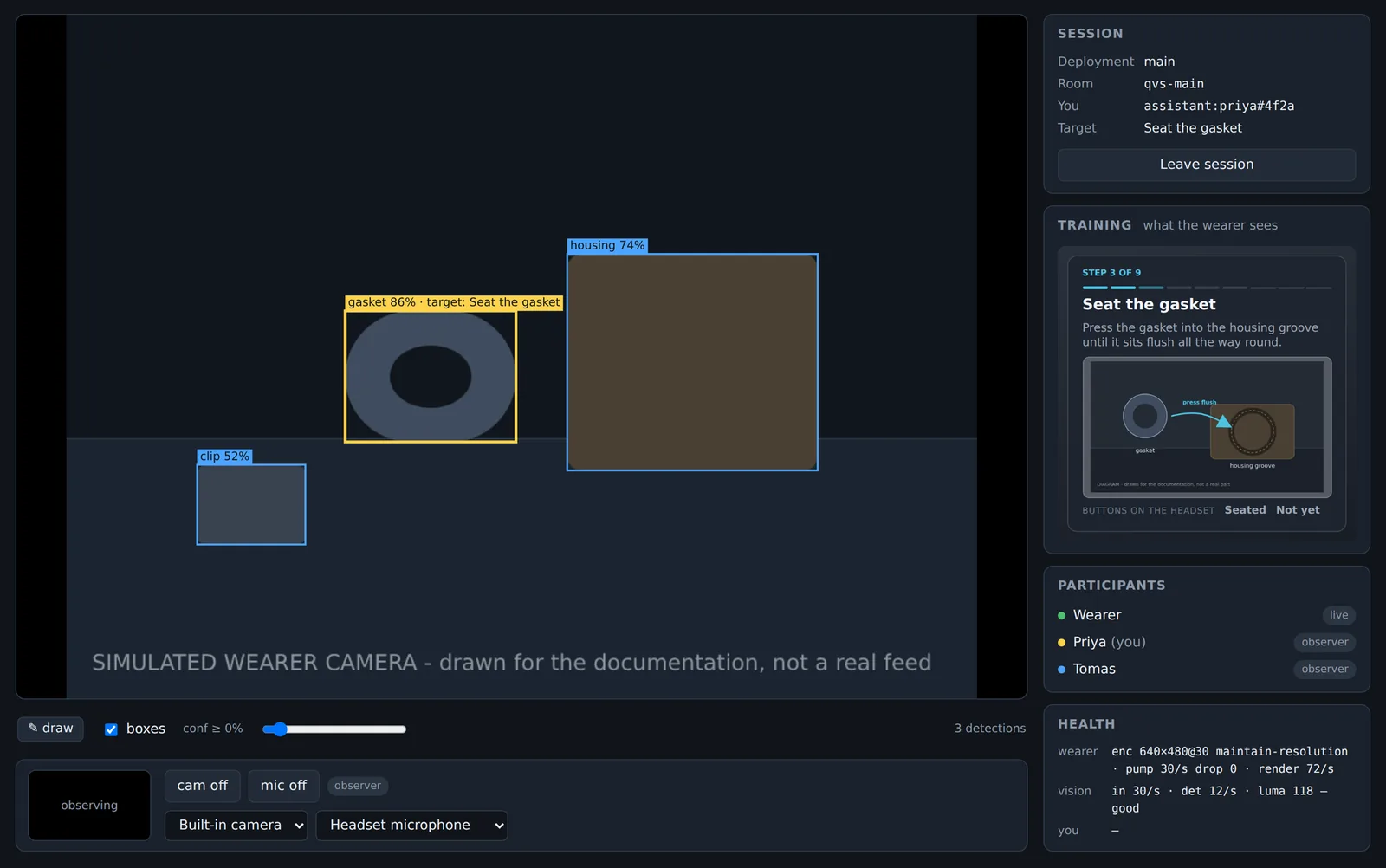
A name and a six-digit code. The expert sees first-person video with detections and the live target, hears the floor, and gives feedback both ways: by voice, and by drawing strokes that anchor to real objects, carry their own colour and fade on their own. The assistant is shown more than the wearer sees, by design, and every leg of it is optional.
The wearer stays in charge
A master pause, per-assistant mute and hide, and a one-press clear of every annotation. An assistant in the session always has a window above the panel. There is no silent observation.
Adaptable to almost any industry
The vision system is taught the objects a procedure needs, and the procedure itself is authored in a browser. Swap the training set and the same headset, console and operations tooling serve a different floor, ward, laboratory or site.
Procedure authoring
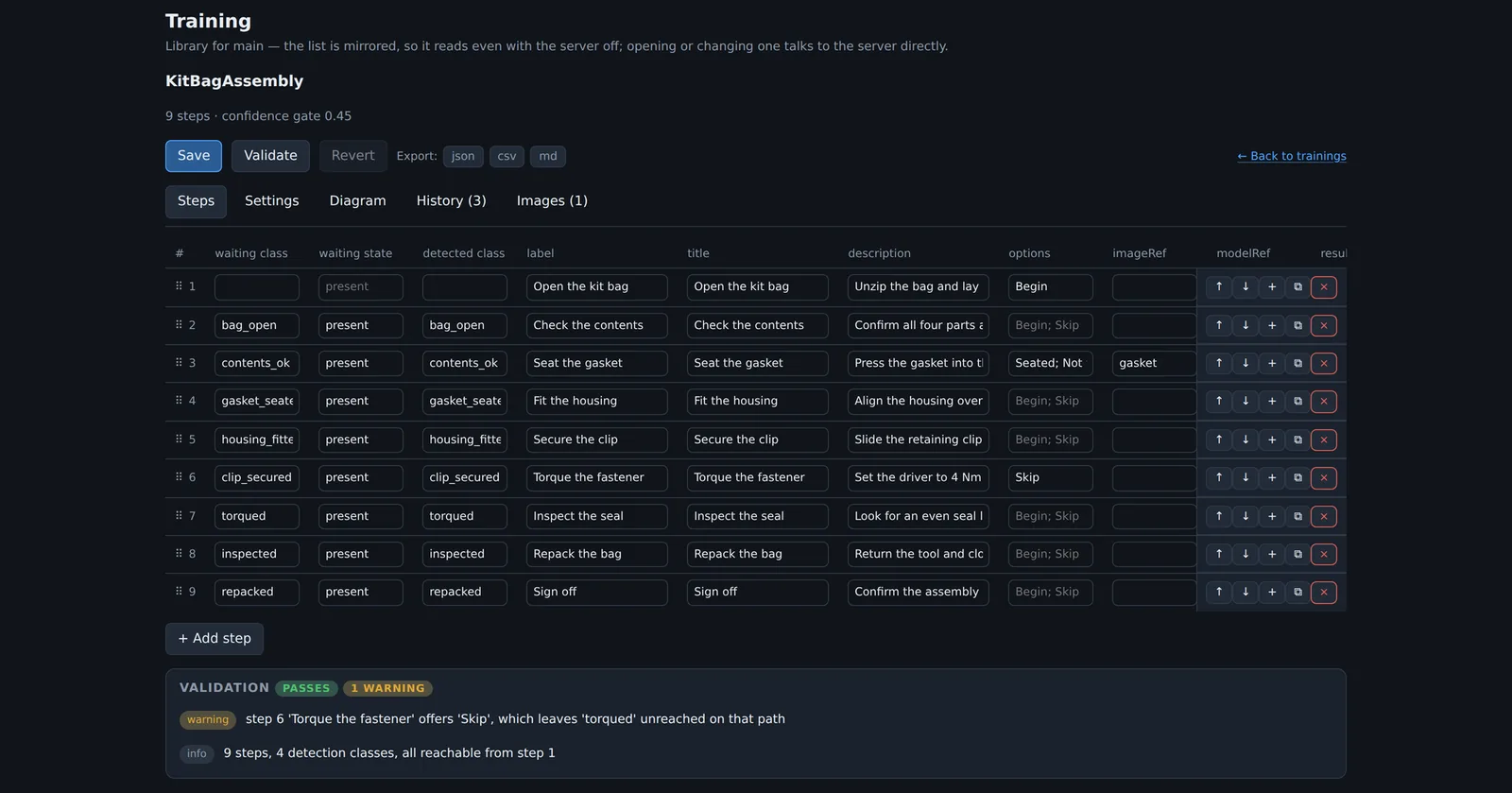
A drag-ordered step grid with title, instruction, reference image and detection class per step. Validated on every save, versioned by default, and a change never lands mid-session. Your own trainers author and maintain procedures after handover.
Operations and cost on one page
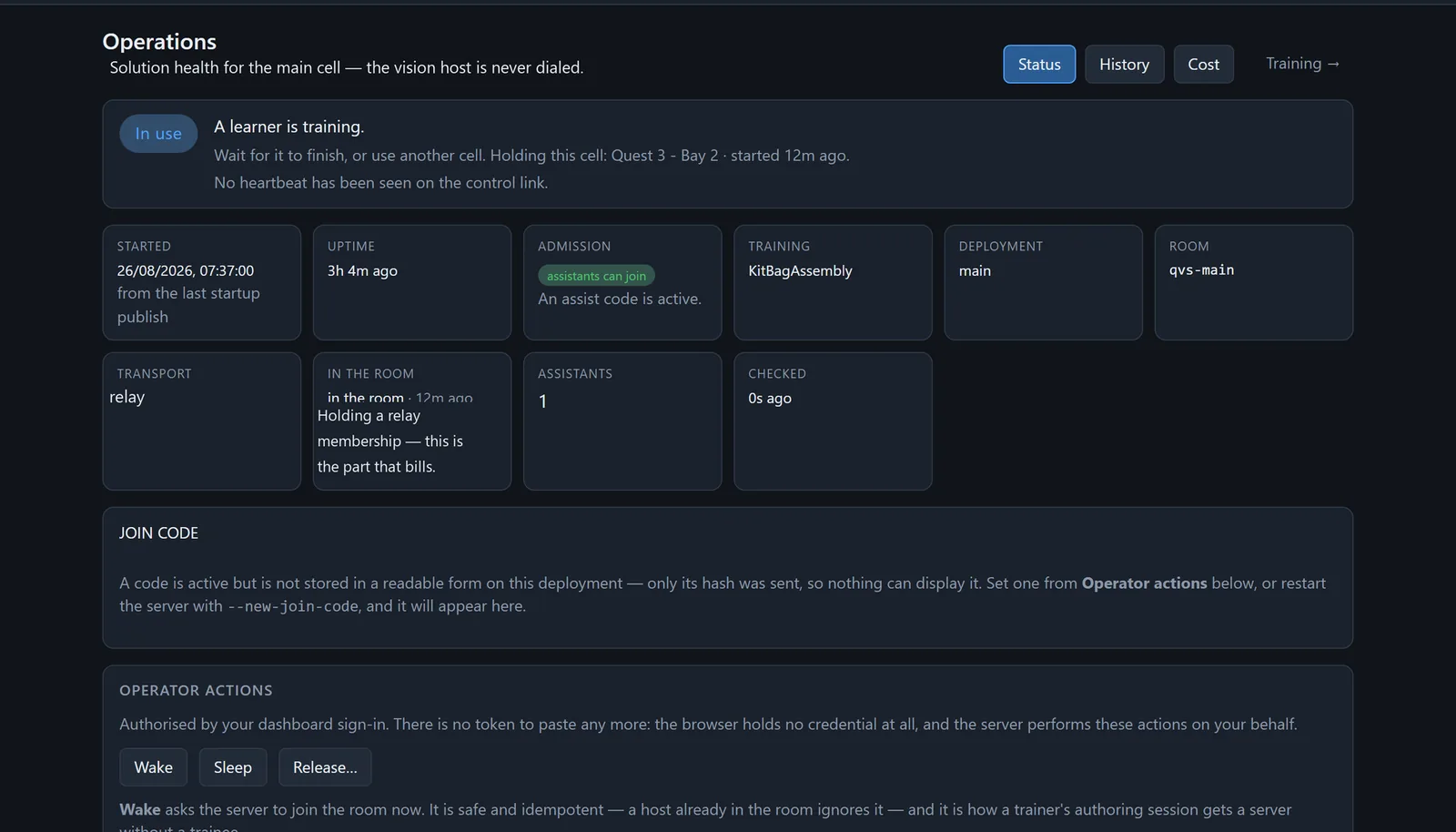
One badge answers whether somebody can train right now. Operators wake a host, release a stuck cell or rotate the join code from the page. Participant-minutes accrue live against the allowance, and anything that cannot be derived reads unknown rather than zero.
Three tiers, one rule.
The on-site host accepts nothing inbound. Every path to it starts as a connection it opened itself, which is what makes it deployable inside a plant, hospital or laboratory network.
- HeadsetCamera, step panel, hand menu
- On-site vision hostDetection, training state, one outbound control link
- Session relayLive media and data, nothing stored
- BrowsersAssist console, authoring, operations
The relay carries sessions only while somebody is training. The edge tier holds static consoles, short-lived tokens, configuration and session statistics, and no media.
What it delivers.
Capabilities and measurements only.
Detection stays on site
Detection runs on the customer’s own machine and the camera frames it analyses never leave the site. During an assist session, and only then, the wearer’s live view, detections and current target cross a relay to the assistant’s browser, and nothing is stored there.
No inbound connection to the siteIdle cost held at zero
Health rides one outbound link the host opened, so an idle platform bills nothing for sessions or relay minutes.
Cost accrues only while trainingSeconds to join
An expert is in the room with a link and a code, from any browser, muted and camera-off until they choose otherwise.
No install, no VPN, no site visitOne platform, many industries
Nothing about the headset client, the assist console or the operations tooling is specific to manufacturing. The demonstrated changeover is one authored training set among any number.
Authored content, not bespoke codeOne trainee per cell, enforced
A second start is refused with a reason and a time, never by silently evicting the person already working.
Four states, never collapsedShort-lived access, nothing left open
Media is encrypted in transit. Consoles hold short-lived signed tokens rather than credentials. Join codes are issued per session and rotated by the operator.
Relay hosted in a region agreed at deploymentWhere this sits in the practice.
The practice pages that describe the offers behind it.
More to see.
See it running.
The recorded demonstration is public. Live demonstrations are on request, through Ethar, Inc. or by email to ZenithMoon Studios for the engineering behind it.